The Problem
I wanted to play a lullaby from my phone through the speaker by the crib. Hit play, walked out of the room… and only a few steps later realized the music was streaming over Bluetooth. The moment I left range, the connection dropped and the lullaby stopped with it.
So I figured: what if the speaker just ran over Wi-Fi instead?
That’s how this thing was born:
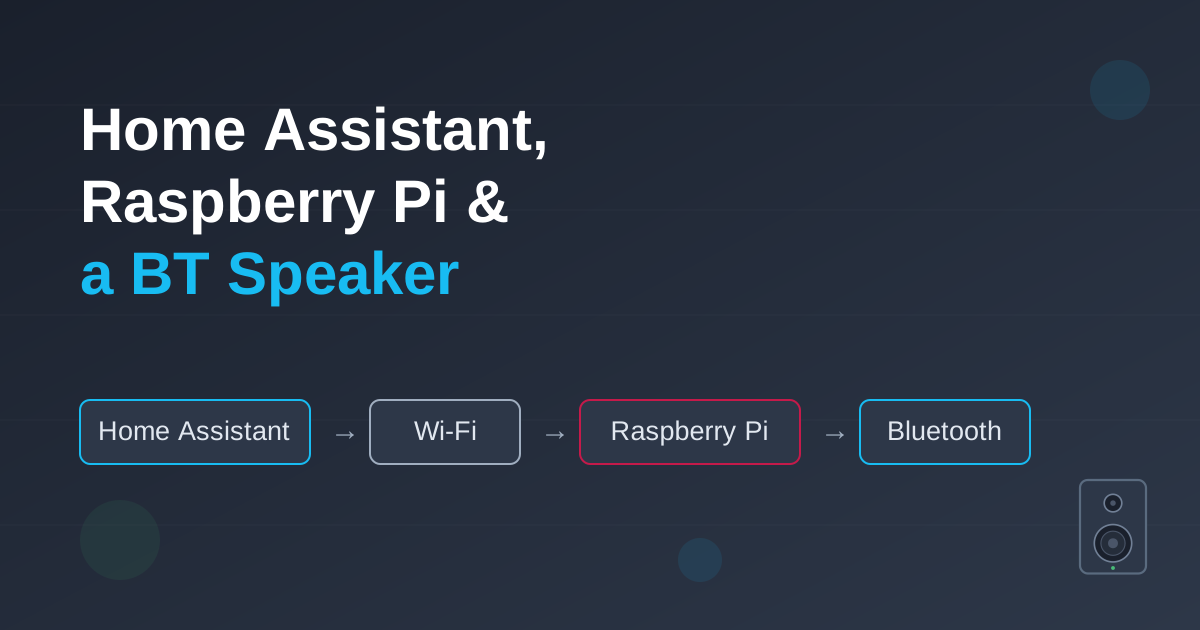
Home Assistant → Wi-Fi → Raspberry Pi → Bluetooth → BT Speaker
How It Fits Together (Two Devices, One Wi-Fi)
The single most important design decision is that the work is split across two physically separated machines, bridged by the home Wi-Fi:
- Home Assistant runs on a PC, not on the Pi, and that PC lives far from the nursery.
- The Raspberry Pi 3 owns the Bluetooth radio and sits right next to the cradle, keeping the Classic Bluetooth (A2DP) audio link short and reliable.
- The PC and the Pi never speak Bluetooth to each other - only Wi-Fi (MPD on TCP
6600). Because the house is blanketed by Wi-Fi repeaters, that control link is always reachable no matter how far apart they are.
In short: long-range, latency-tolerant control travels over Wi-Fi; short-range, bandwidth-heavy audio stays local to the Pi over Bluetooth.
flowchart TD
    PC["PC — far from the nursery<br/><b>Home Assistant</b><br/>media_player.pt_baby"]
    PI["Raspberry Pi 3 — by the cot<br/><b>MPD</b> (Music Player)<br/>PipeWire / BlueZ"]
    SPK["PT-BABY player<br/>Audio chip (A2DP Sink)<br/>MAC EC:E3:70:1C:7C:55"]

    PC -->|"Wi-Fi LAN (via repeaters → always reachable)<br/>MPD control over TCP :6600"| PI
    PI -->|"Bluetooth Classic — A2DP Sink<br/>short range (Pi sits next to the player)"| SPK
You don’t need a Raspberry Pi for this. An ESP32 running ESPHome can act as the same near-cradle bridge for a few dollars - it speaks A2DP over Classic Bluetooth and exposes a media_player straight to Home Assistant, no MPD or Wi-Fi hop required. That’s the cheaper, lower-power option if you’re buying hardware. I just happened to have a Raspberry Pi 3 sitting idle, so I used it - the rest of this guide follows the Pi path.
Step 1: Find the Right Bluetooth Chip
The first surprise is that the PT-BABY shows up as two Bluetooth devices, because it has a dual-chip design sharing one antenna:
- The app chip (BLE): advertises as
PT-BABY appatEC:E3:70:D2:50:E6. It only handles low-energy control data for the phone app - no audio. - The audio chip (Classic BT): advertises as
PT-BABYatEC:E3:70:1C:7C:55. This is the actual wireless speaker (A2DP sink) - the one we care about.
We bypass the app chip entirely and target the audio MAC for everything that follows.
Your MAC addresses will differ. Run bluetoothctl scan on for a few seconds and watch for the two PT-BABY entries. The one without app in the name is your audio chip - note its address, you’ll reuse it everywhere below.
Step 2: Pair Directly by MAC
Auto-scan is unreliable on this chip, so skip discovery entirely. Since we already know the audio MAC, pair and trust it directly:
bluetoothctl[bluetoothctl]> power on[bluetoothctl]> agent on[bluetoothctl]> pair EC:E3:70:1C:7C:55[bluetoothctl]> trust EC:E3:70:1C:7C:55trust is the part that matters for a headless setup - it lets the Pi re-establish the link later without anyone confirming a prompt.
Step 3: Run MPD in User-Space, Next to PipeWire
Modern Raspberry Pi OS uses PipeWire as its audio engine, and PipeWire isolates Bluetooth audio to the logged-in user (pi). A system-wide MPD daemon runs as its own user and can’t see that session’s Bluetooth sink - so instead of fighting permissions, we run MPD as the same user.
First, disable the system-wide instance so the two don’t collide:
sudo systemctl disable --now mpd.service mpd.socketThen create a user-level config at ~/.config/mpd/mpd.conf:
# Bind to all interfaces so the PC's Home Assistant can reach us over Wi-Fibind_to_address "0.0.0.0"port "6600"
# Hand audio straight to PipeWire, which owns the Bluetooth sinkaudio_output { type "pipewire" name "PT-BABY Bluetooth"}Because MPD now runs inside the pi session alongside PipeWire, it picks up the Bluetooth output (bluez_output.EC_E3_70_1C_7C_55.1) automatically - no socket forwarding, no access-control workarounds.
Why 0.0.0.0? MPD defaults to localhost only. Binding to all interfaces is what lets the Home Assistant PC reach the Pi across the Wi-Fi network on port 6600. On a trusted home LAN that’s fine; don’t expose port 6600 to the internet.
Step 4: Keep the Connection Alive
Bluetooth speakers drop the link aggressively when idle to save power. So the moment Home Assistant tries to play something, the cradle is usually asleep and the audio fails.
The fix is a small script that forces a reconnect if the device isn’t already connected. Save it as /usr/local/bin/connect_baby.sh:
#!/bin/bashMAC="EC:E3:70:1C:7C:55"if ! bluetoothctl info "$MAC" | grep -q "Connected: yes"; then bluetoothctl connect "$MAC" sleep 2fiMake it executable, then hook it into MPD with a systemd drop-in so it runs before MPD opens the audio track. Create ~/.config/systemd/user/mpd.service.d/override.conf:
[Service]ExecStartPre=/usr/local/bin/connect_baby.shNow every time MPD starts playback, Linux wakes and stabilises the Bluetooth pipe first - so the cradle never misses the opening notes.
Step 5: Add It to Home Assistant
Home Assistant dropped YAML config for MPD, so this is all done through the UI - on the PC, pointing across the network at the Pi:
- Go to Settings → Devices & Services → Add Integration.
- Choose Music Player Daemon (MPD).
- Set Host to the Pi’s IP address and Port to
6600.
That gives you a media_player.pt_baby entity. From there it’s a normal media player, ready for automations - for example: if the crib sensor detects crying for more than 60 seconds between 8 PM and 4 AM, wake the speaker, confirm the connection, and play a soft lullaby.
The Pi must be reachable from the PC for this to work. Thanks to the Wi-Fi repeaters covering the house, the Home Assistant ↔ Pi link stays up even though the two devices sit far apart - that reliability is the whole reason the heavy Bluetooth work is delegated to the Pi instead of attempted from the PC.
Wrapping Up
The pattern here is worth keeping in your back pocket for any stubborn Bluetooth gadget: put a cheap Linux box next to the device to own the short, finicky radio link, expose it on the network with MPD, and let Home Assistant drive it from wherever it happens to live. A “dumb” baby cradle becomes just another speaker in the smart home - and the only copy of the magic lives in a folder of lullaby files you control.

